Certificate - SAML, Signing Certificate - GITHUB:
About:
This document shows you how to update the SAML Signing Certificate - GITHUB.
How to:
-
Sign in to Microsoft Entra Admin Centre.
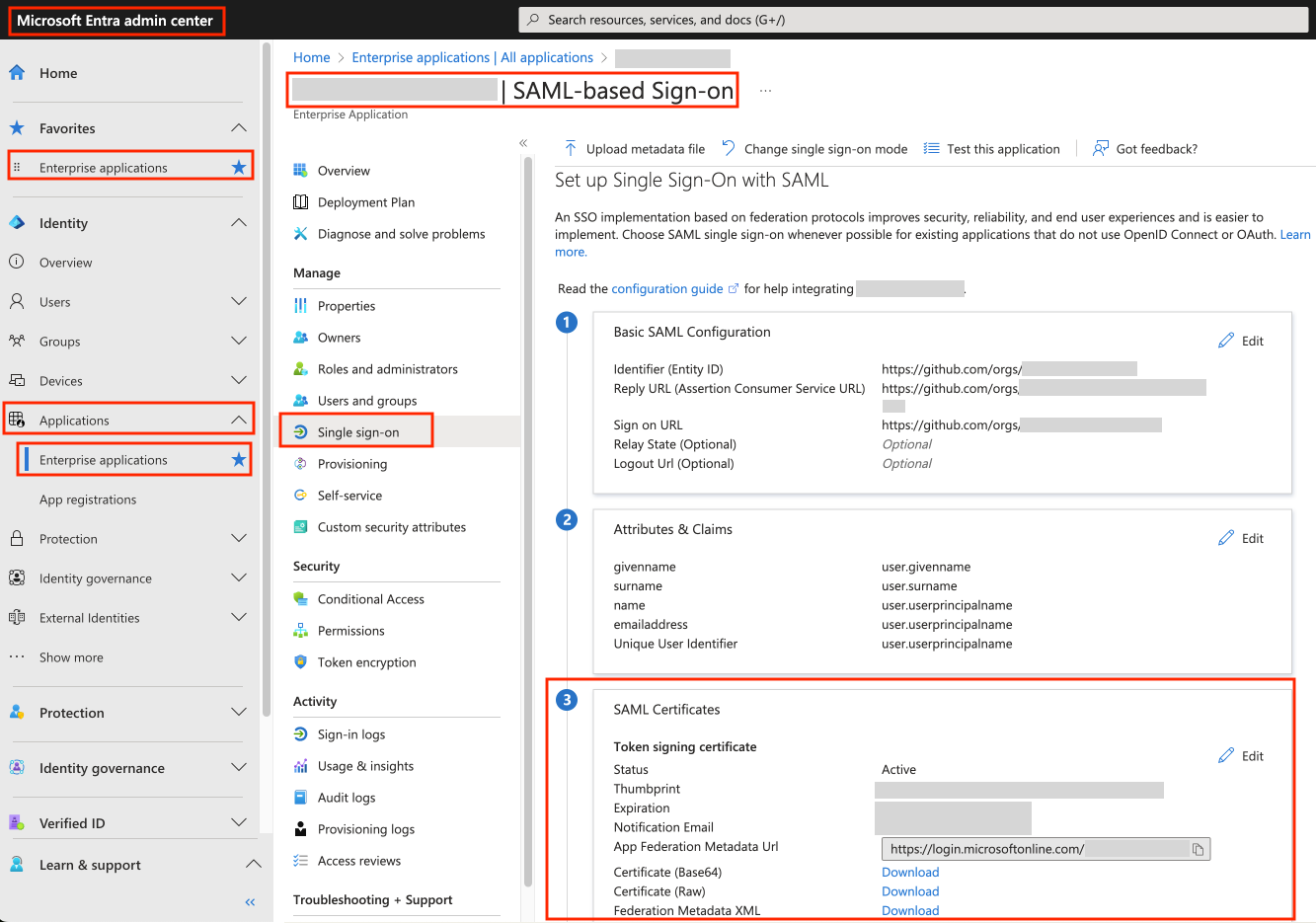
-
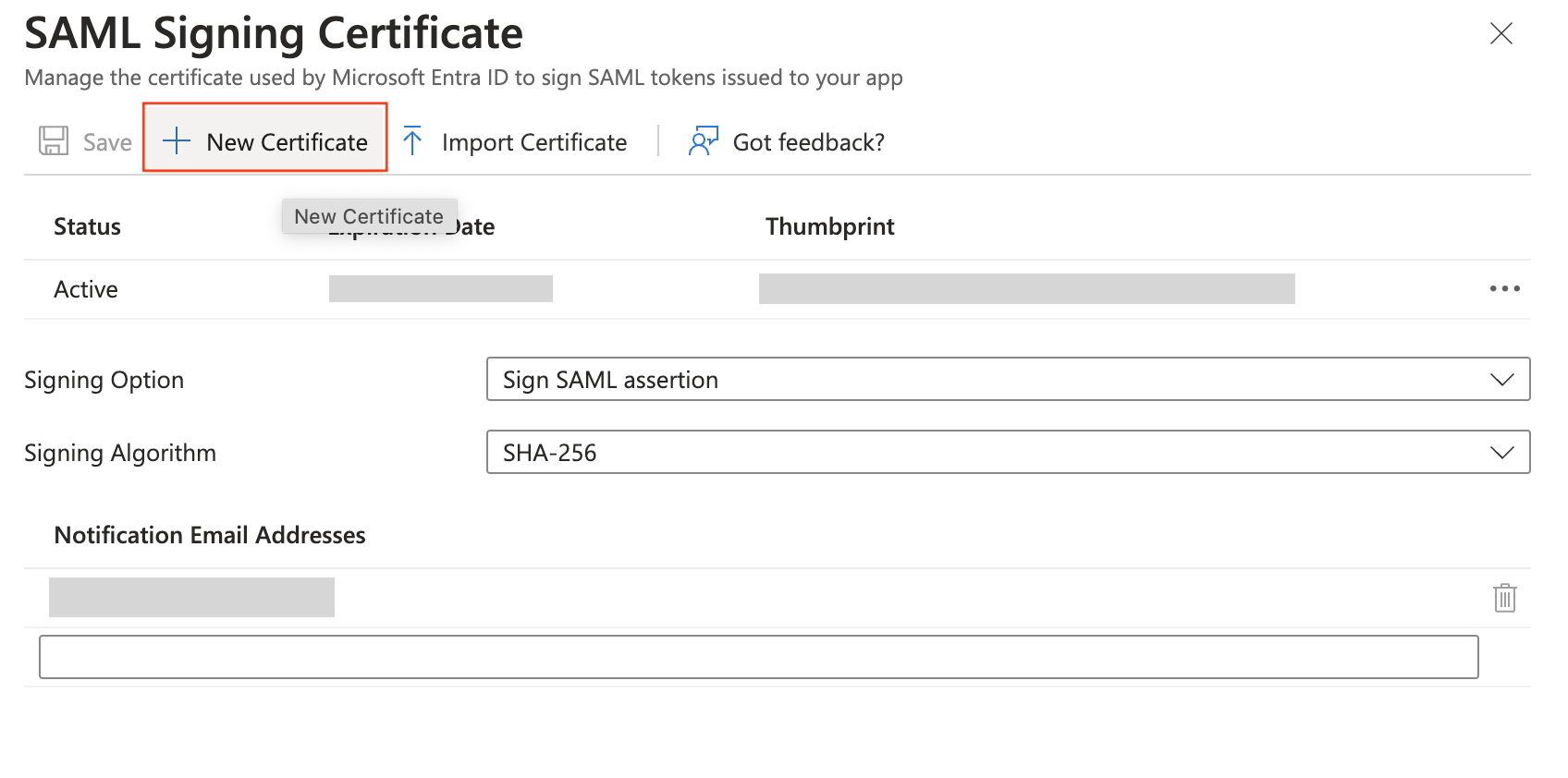
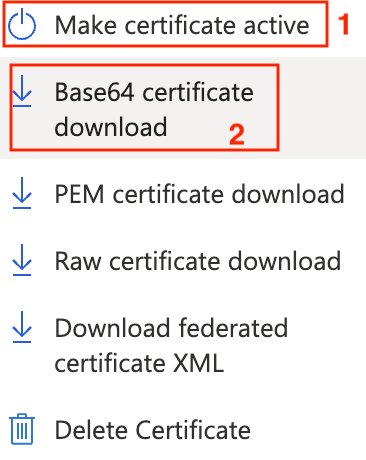
Choose New Certificate. This automatically creates a new certificate in the list, but it is not active (n/a). Go to the tree dots to the right of the new certificate and choose the option Make certificate active. Then click Yes, and click the tree dots again. This time choose the option Base64 certificate download.
-
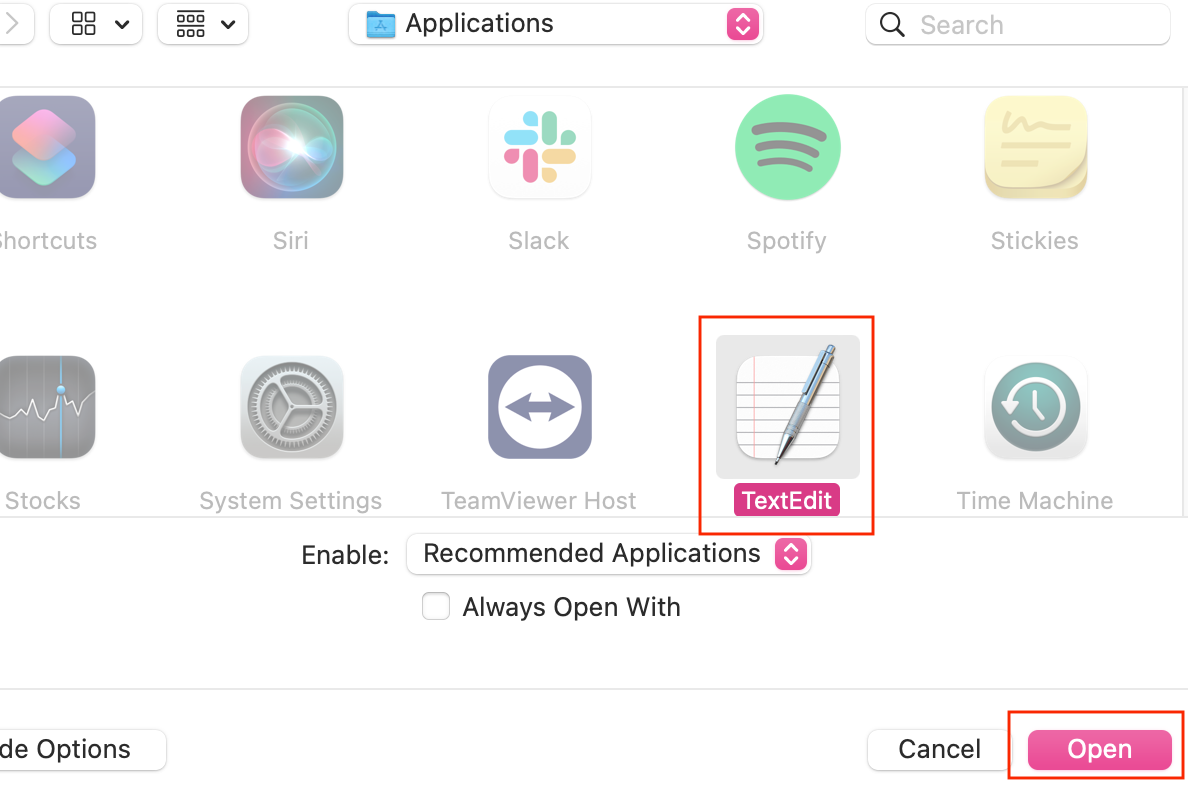
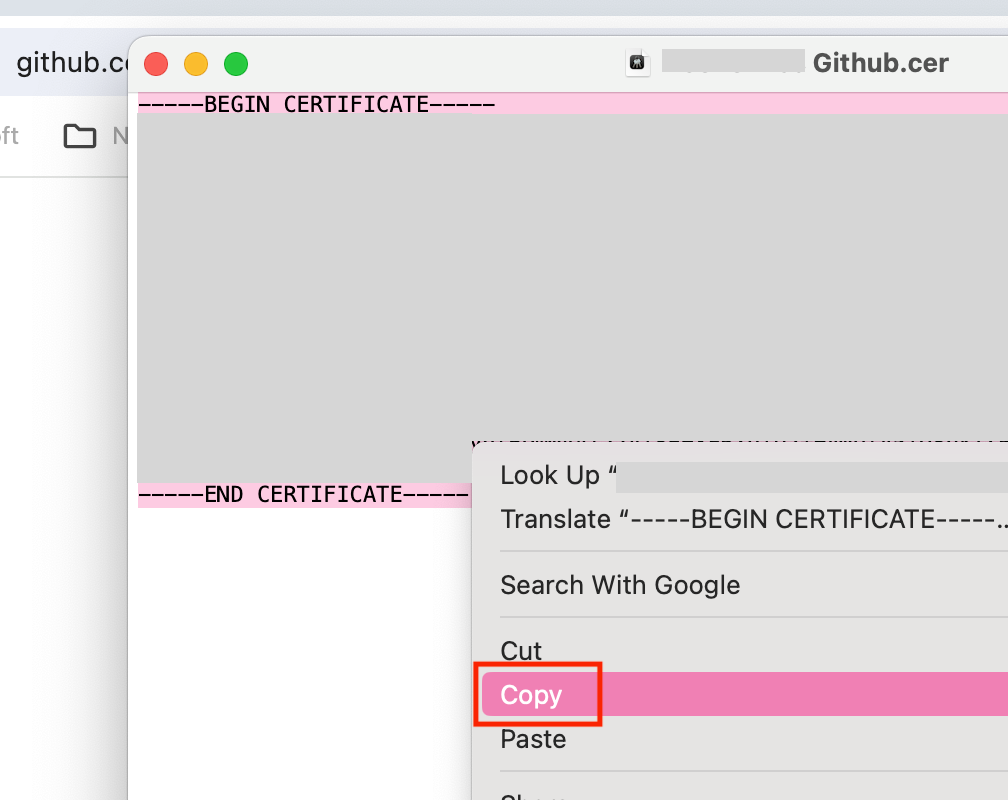
The file will end up in your downloads folder. Open it in a text editor. Copy the text in there.
-
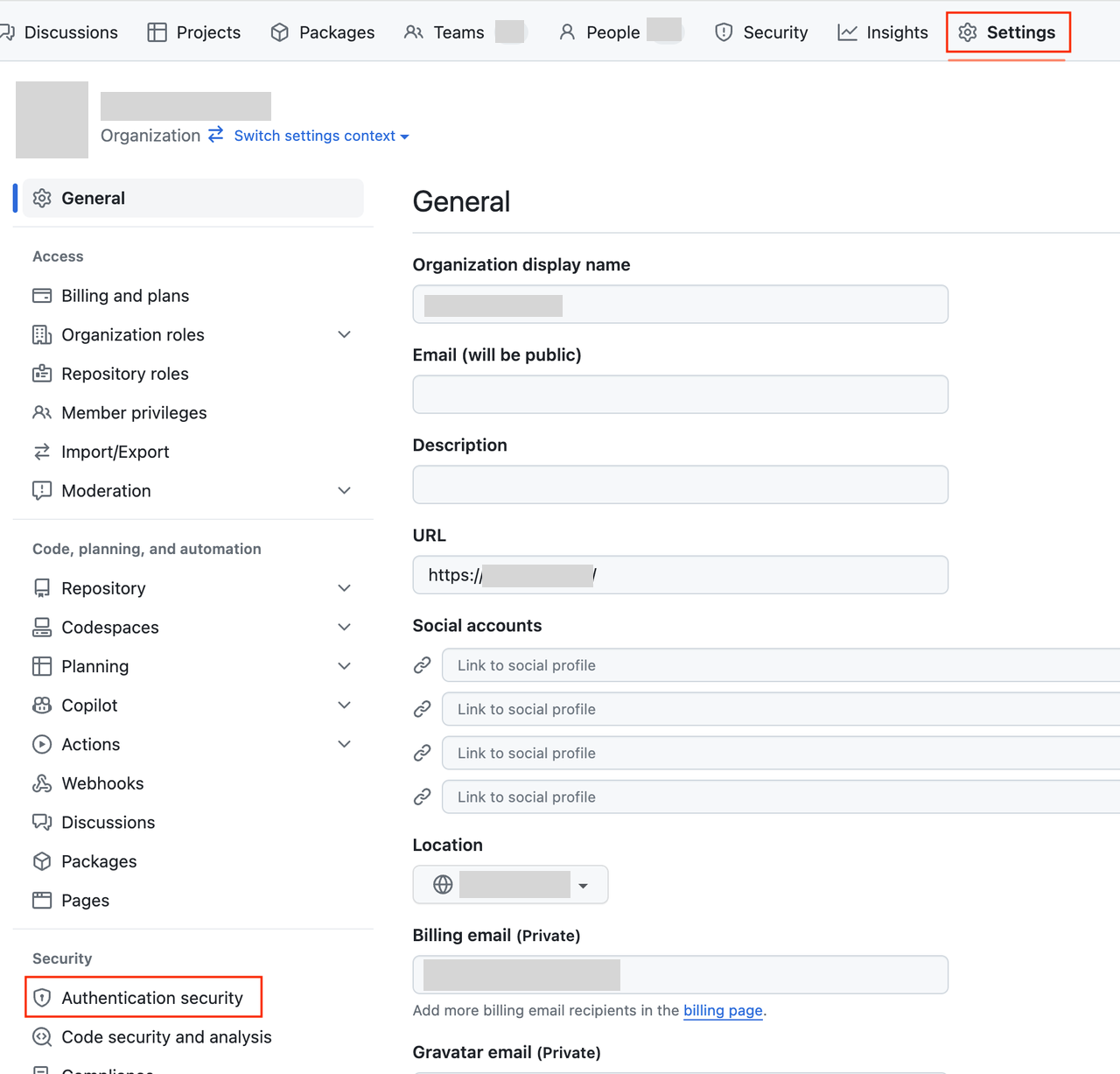
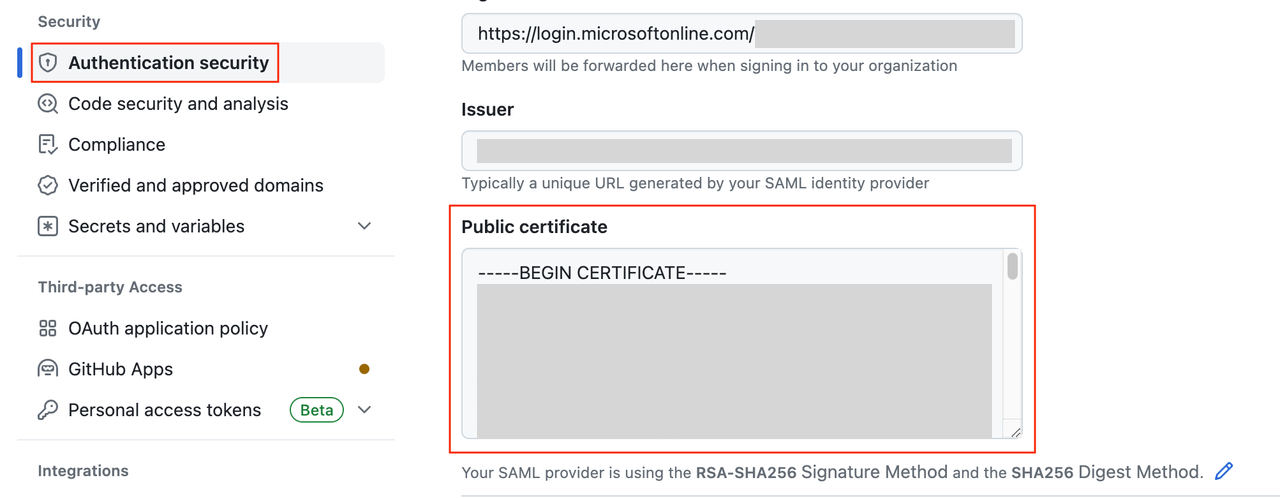
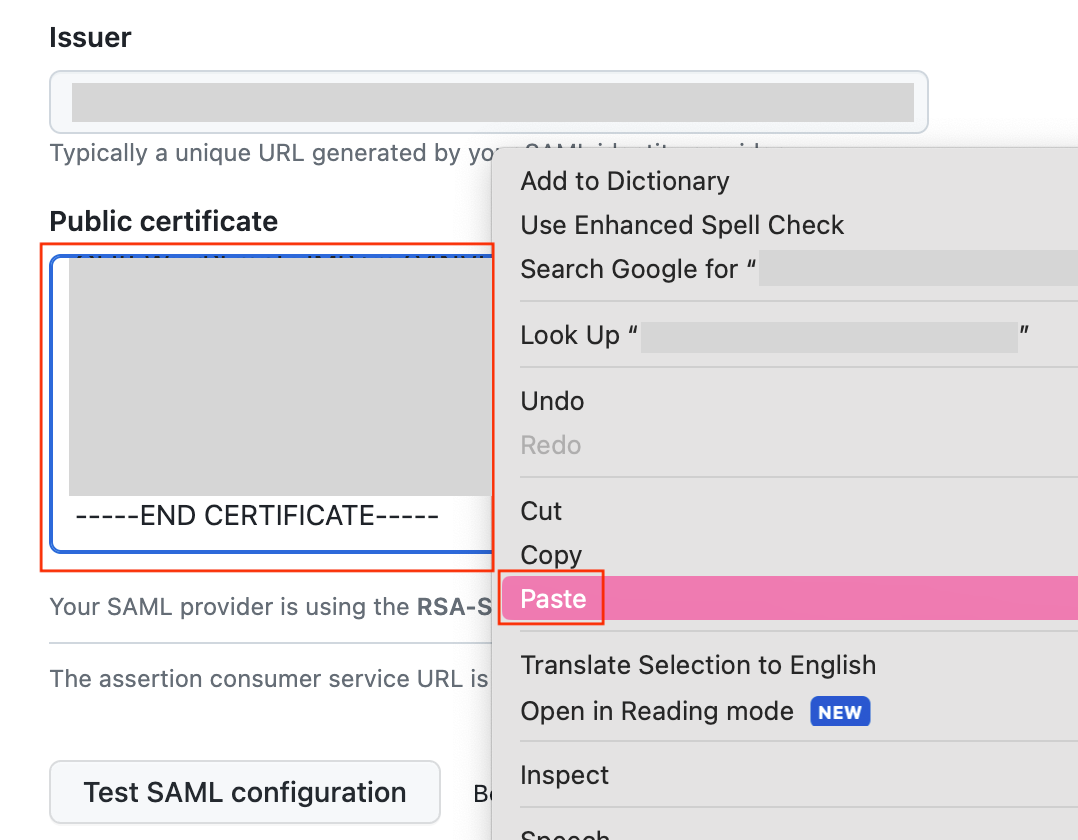
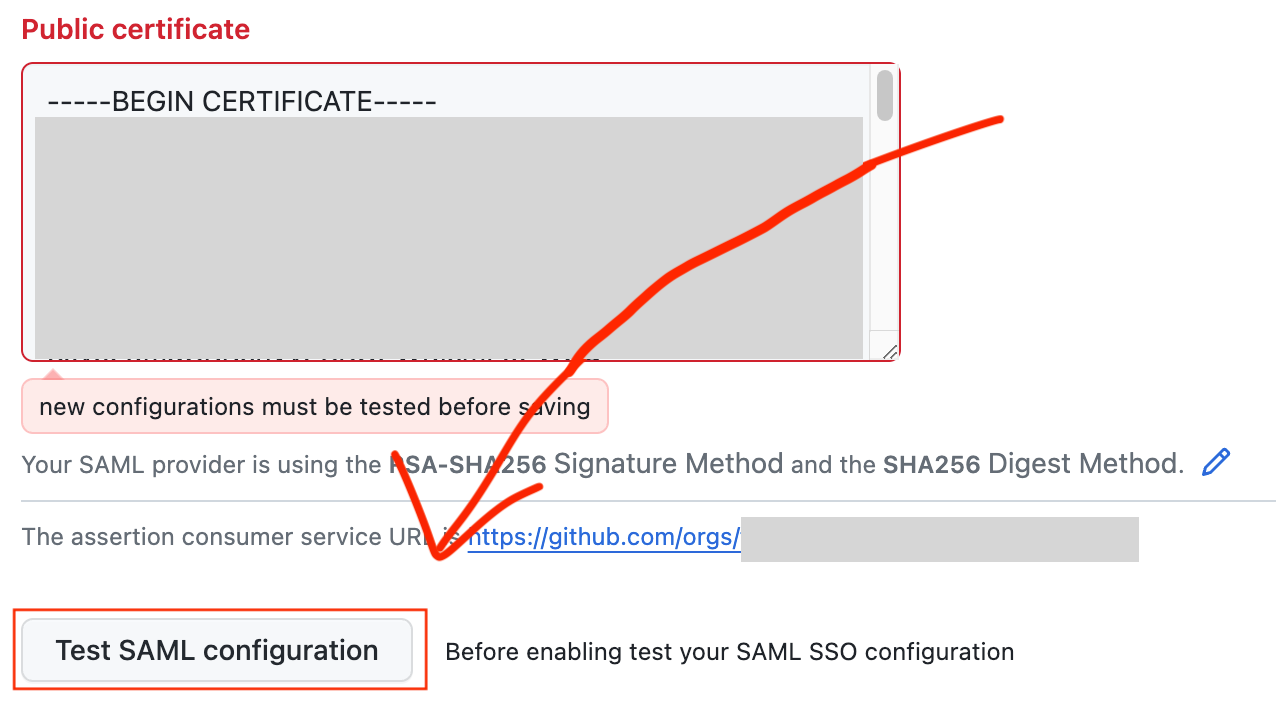
Go to the company’s github page, an choose Settings and General. Scroll all the way down to Authentication security. Look for Public Certificate. Paste in the certificate you copied earlier here, as shown in the picture.
-
Make sure to TEST SAML CONFIGURATION before clicking save at the bottom left. If you get errors, make sure you copy it properly without any extra spaces.

And you are done. 😄