Github - Check and Add Licences:
Table of Content:
About:
This document explains how to Check and Add GitHub licences.
How to:
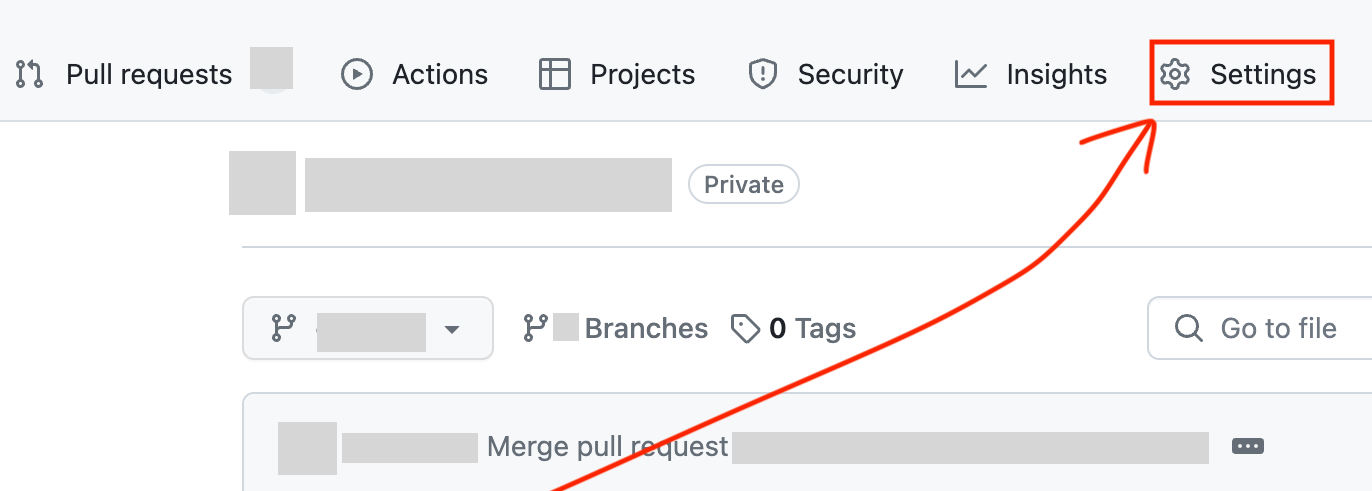
- Go to GitHub and to the Company page. Look for the ‘Settings' button and click it.
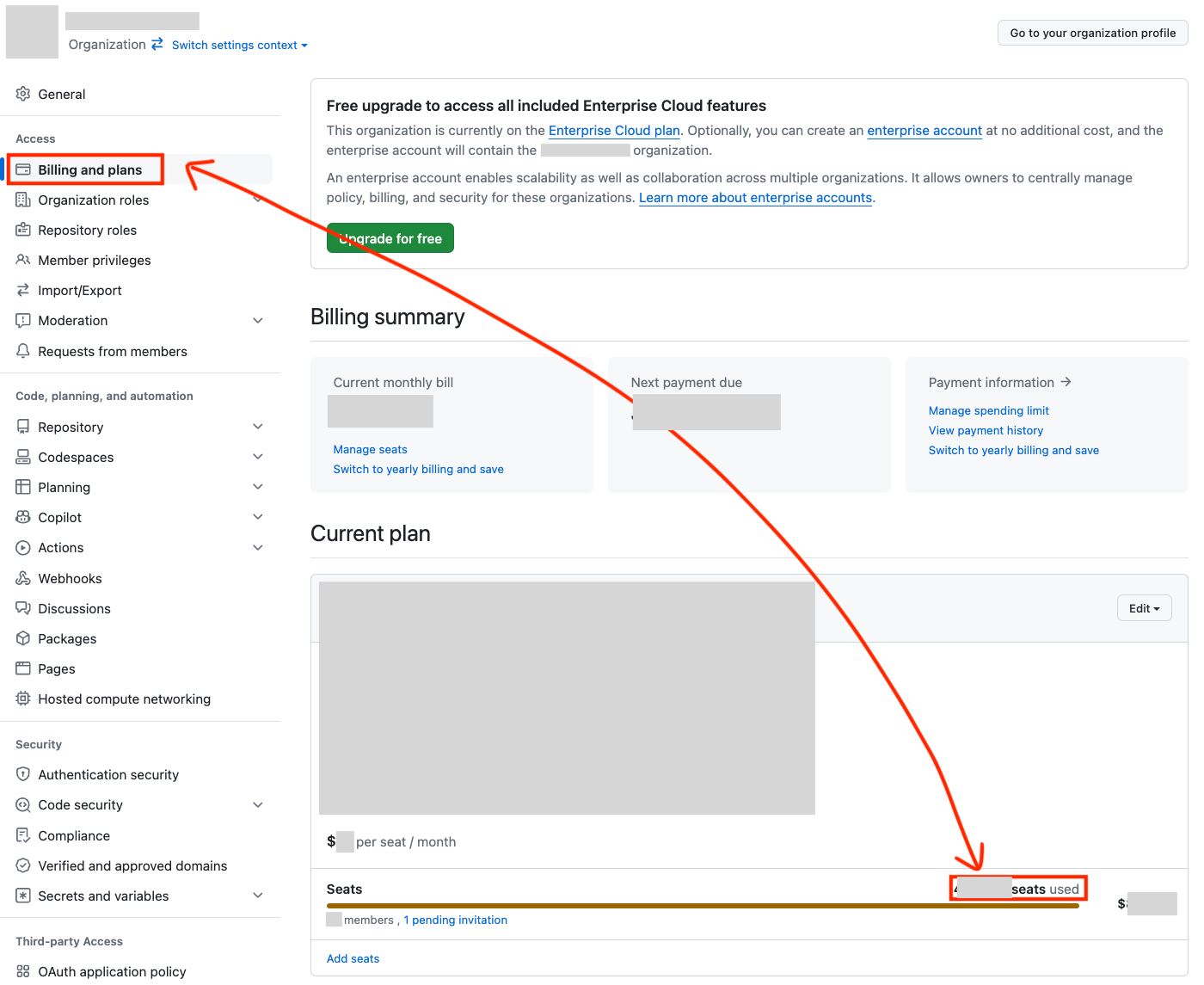
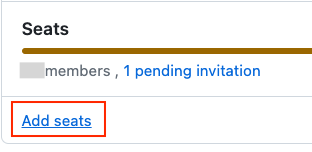
- Choose ‘Billing and plans’. Check the ?/? seats used. If you need more, click Add Seats.
- Now the new employee should receive the GitHub access email.
Useful Tips:
To make sure it goes through quicker, use Provision on Demand that you can find here:
Microsoft Entra (Azure) - Provision on Demand (Atlassian Cloud)
And you are done. 😄