Remove Branch - GitHub (Admin):
About:
This document explains how you remove a branch in GitHub.
Delete Protection Rules:
-
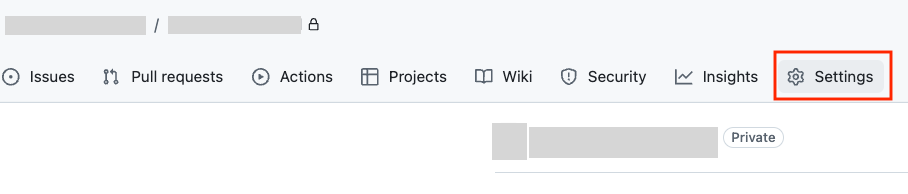
Go to GitHub and to the Company page. Go to the Repo in question. Click Settings.
-
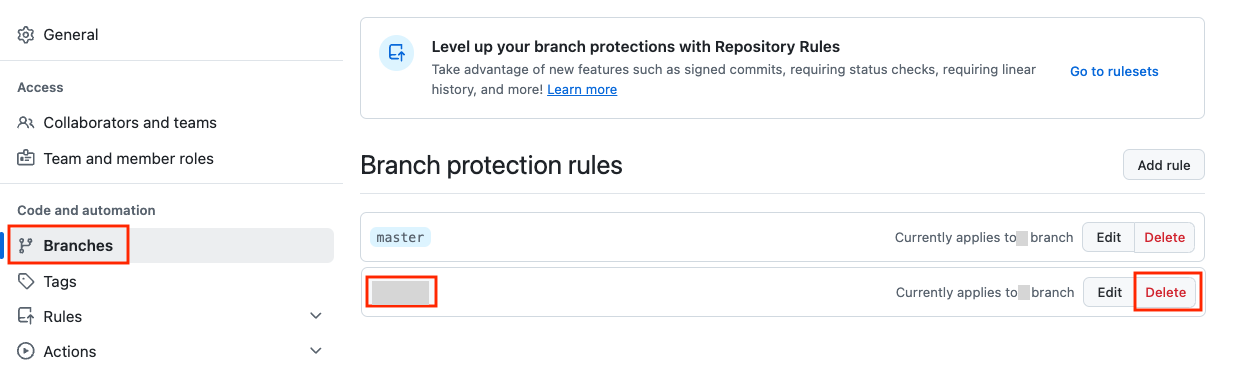
Click Branches, and find the correct branch. Delete it.
Remove branch:
-
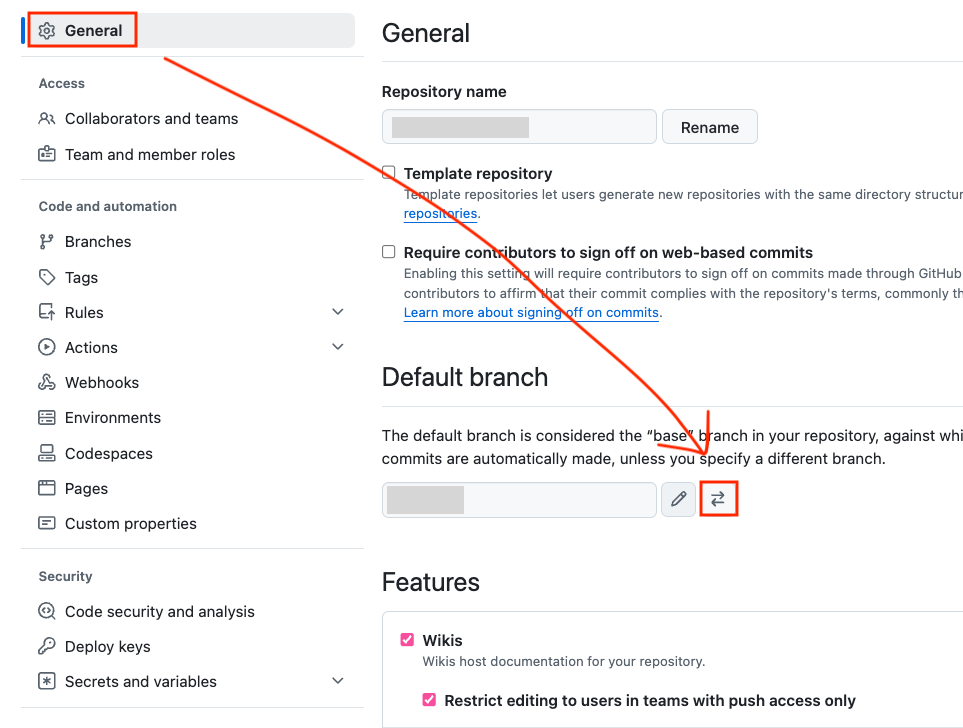
Click ‘General’ and look for the correct branch and click the ‘arrows’.
-
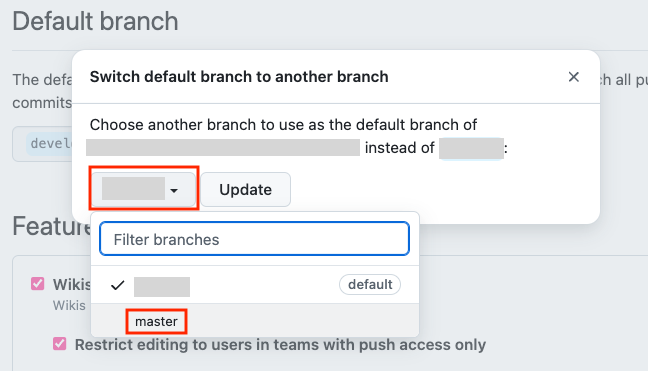
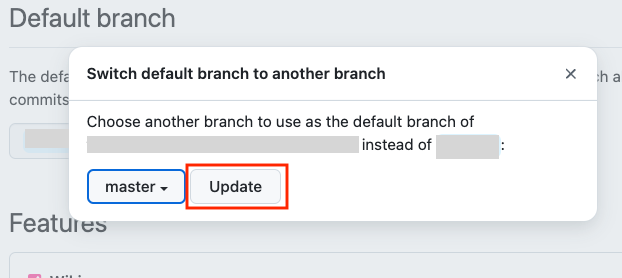
Then click ‘the correct branch and switch it to ‘master'.
-
Click ‘Update’.
-
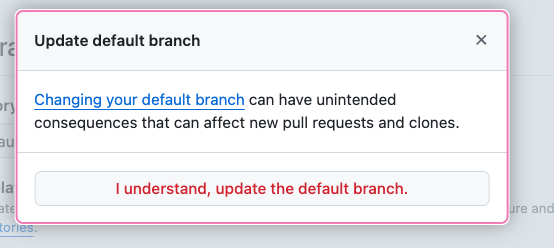
Click ' I understand, update the the correct branch.
-
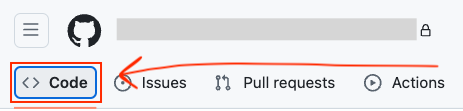
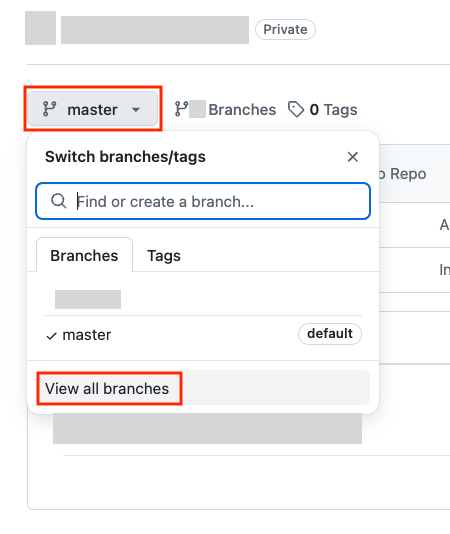
Then click ‘Code’, and ‘master’ and then ‘View all branches’.
-
Then click the trash/bin on the the correct branch branch. Then Confirm.
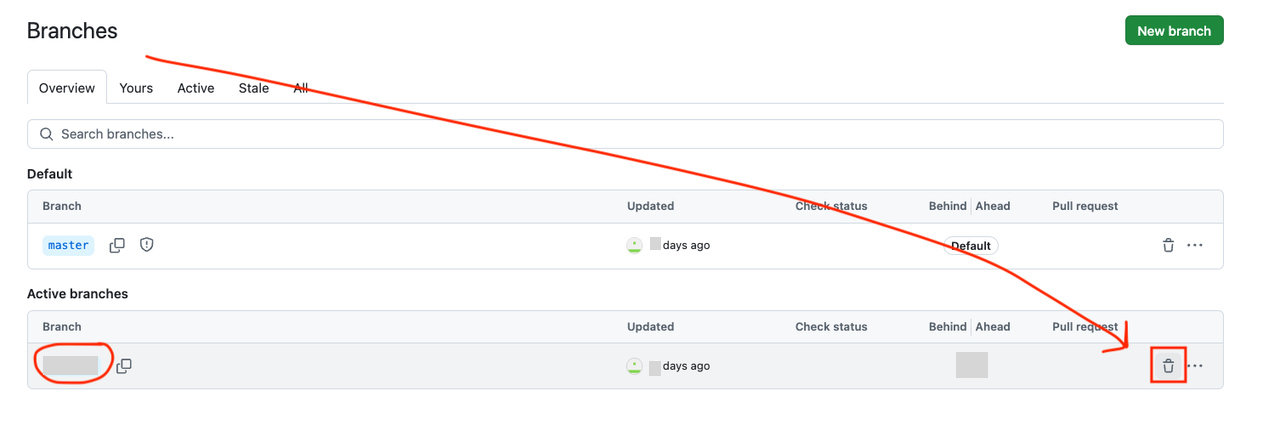
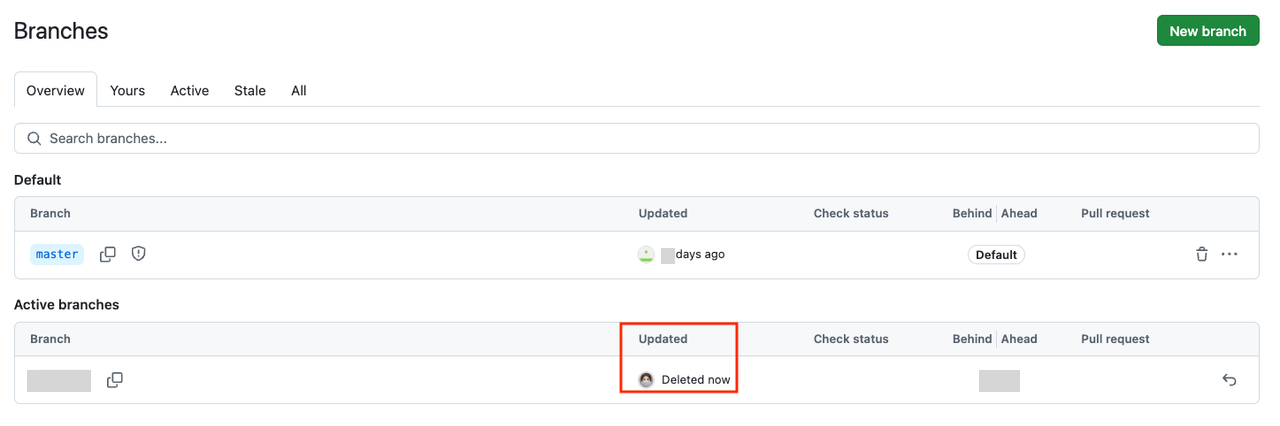
And you are done. 😄