Mesh Central - Remove Admin Group Membership (MAC):
About:
This document will explain how to REMOVE Admin Group Membership in Mesh Central, remotely on a MACOS.
How to:
!! IMPORTANT !!
Be extremely cautious when doing this as it can mess things up if done at the wrong place or with the wrong person, depending on your setup.
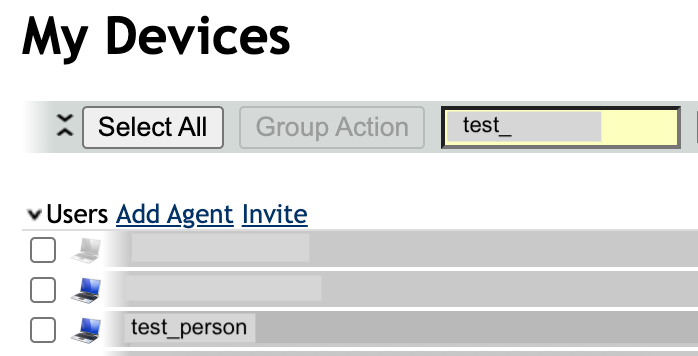
- Go to Mesh Central. Search for the employees name and click it.
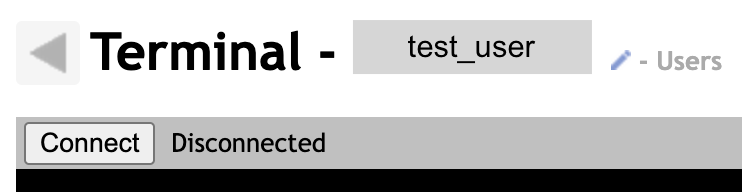
- Make sure you click ‘Terminal’ and then Connect.
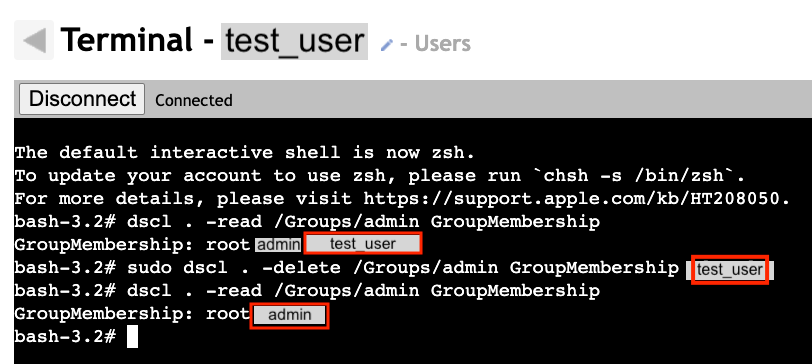
- Type this code in the terminal.
Make sure to take a notice of the test_user in the admin GroupMembership and take note that the user disappears after the code is executed.
sudo dscl . -delete /Groups/admin GroupMembership usernameofuser
And you are done. 😄