Token - Apple Business Manager - Update SCIM Token:
About:
This document shows you how to update the Update SCIM Token
Apple Business Manager - Step 1:
-
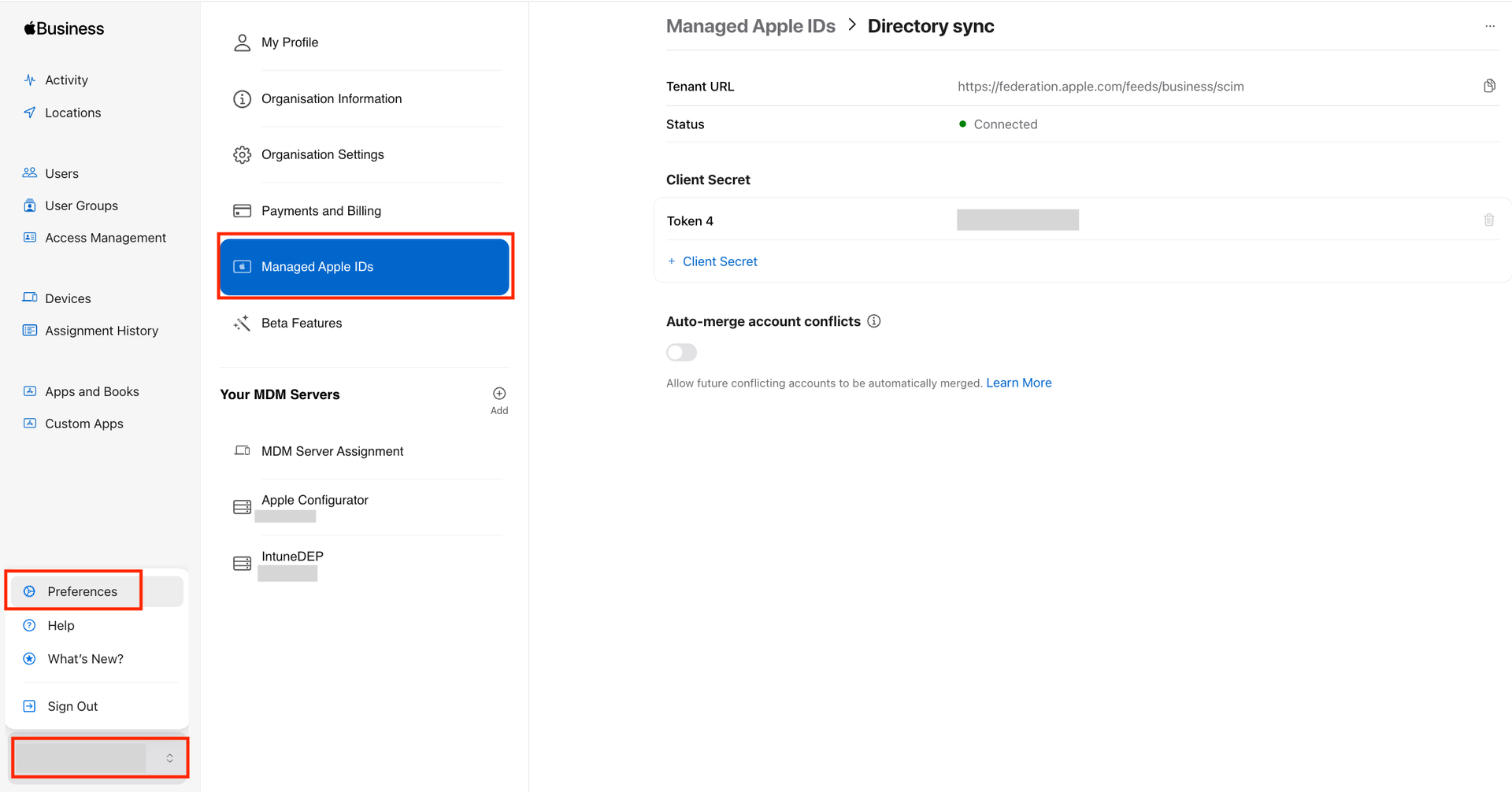
Log into Apple Business Manager.
-
Click on your name and Prefrences. Then click Managed Apple IDs.
! IMPORTANT !
STOP HERE!
Go to the NEXT step!
Microsoft Entra Admin Center - Step 1:
-
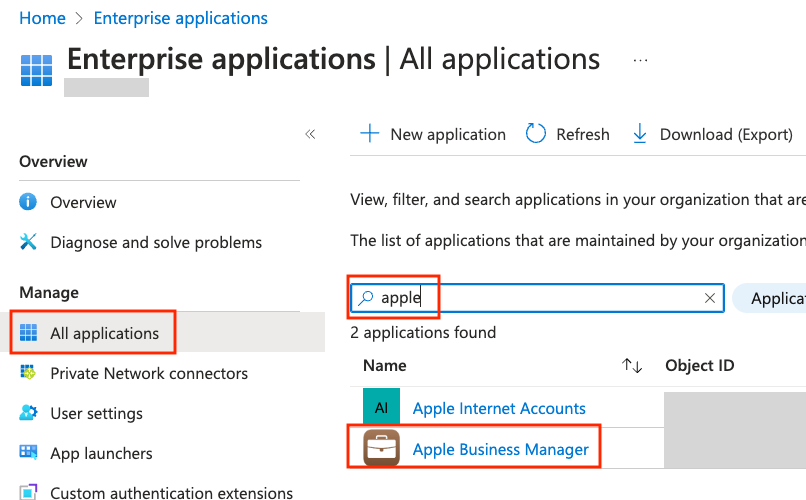
Go to Microsoft Entra Admin Center.
-
Then click All applications, and search for Apple, and click Apple Business Manager.
-
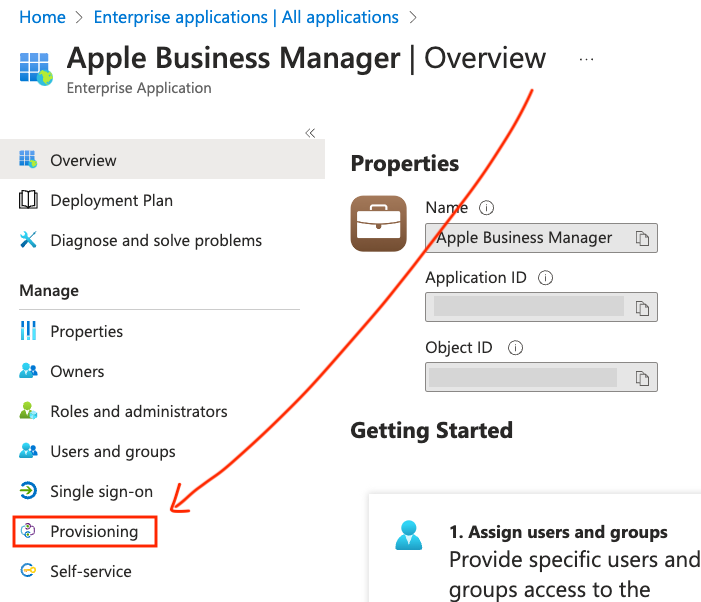
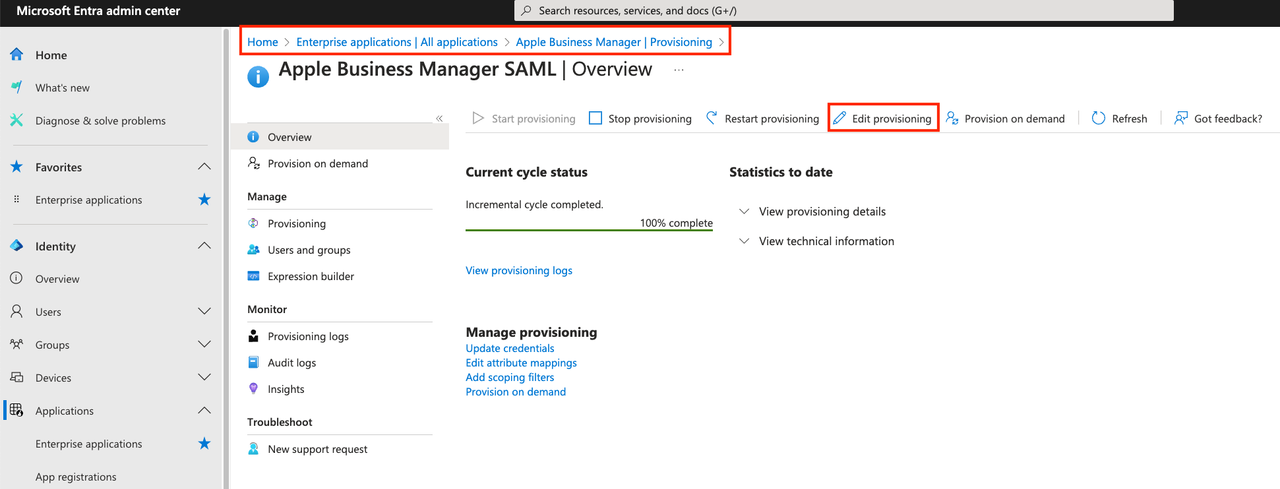
Then click Provisioning, and then click Edit Provisioning.
 ! IMPORTANT !
STOP HERE!
Go to the NEXT step!
Apple Business Manager - Step 2:
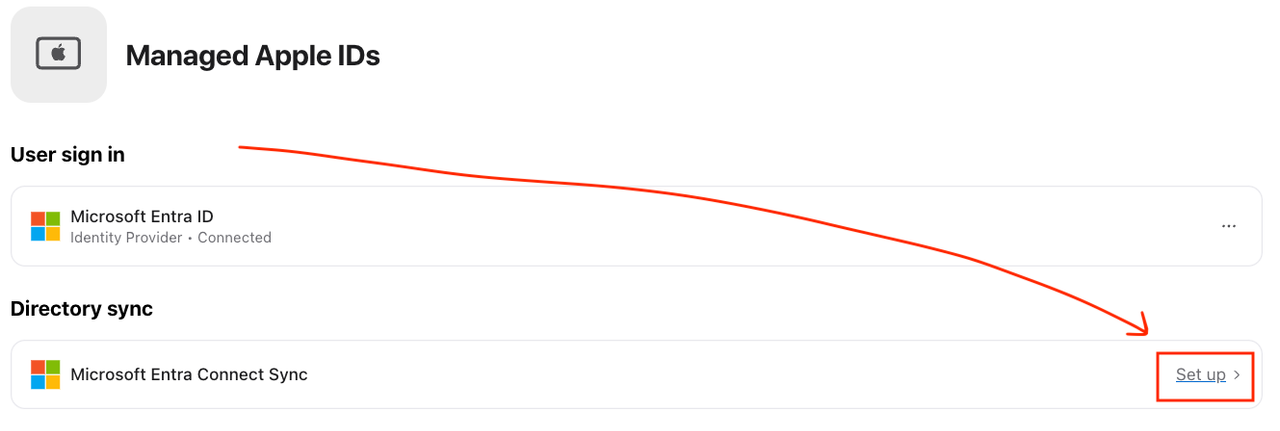
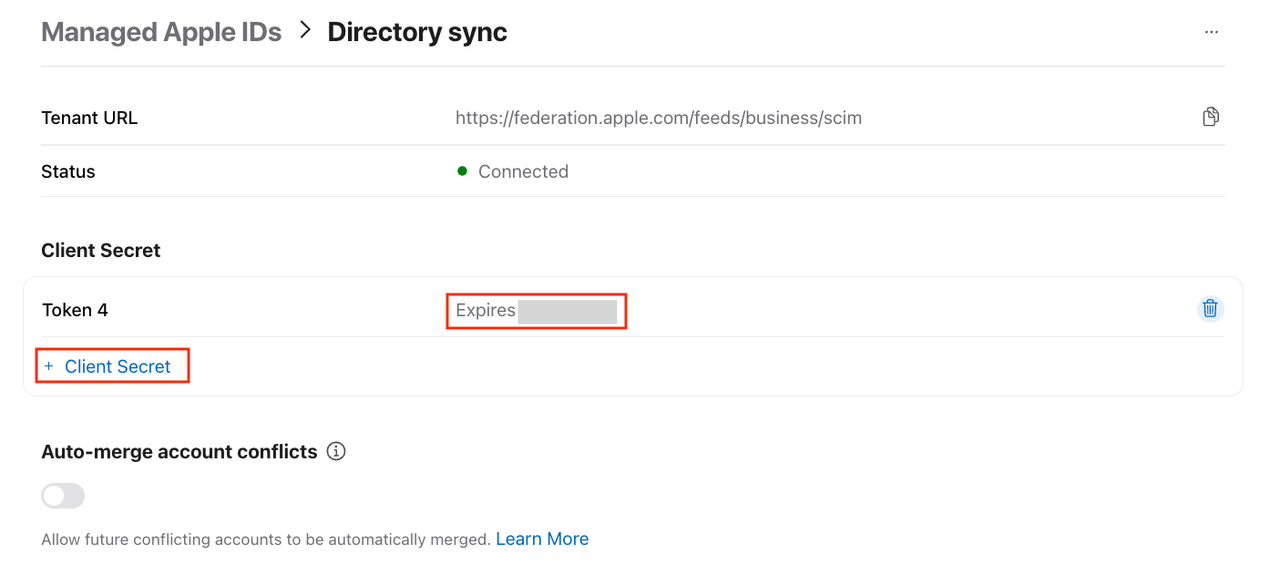
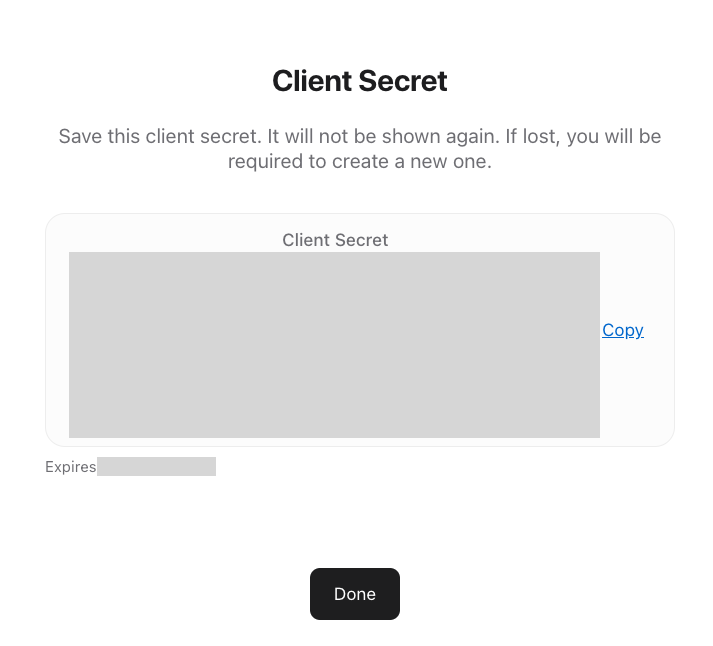
- Now go back to Apple Business Manager. Click Set up on Microsoft Entra Connect Sync. Then take a note of the Expiry date, and click + Client Secret. Copy it and click Done.
 ! IMPORTANT !
STOP HERE!
Go to the NEXT step!
Microsoft Entra Admin Center - Step 2:
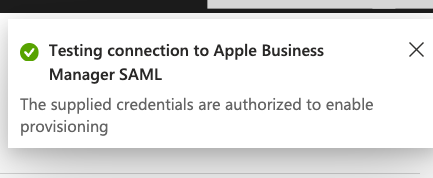
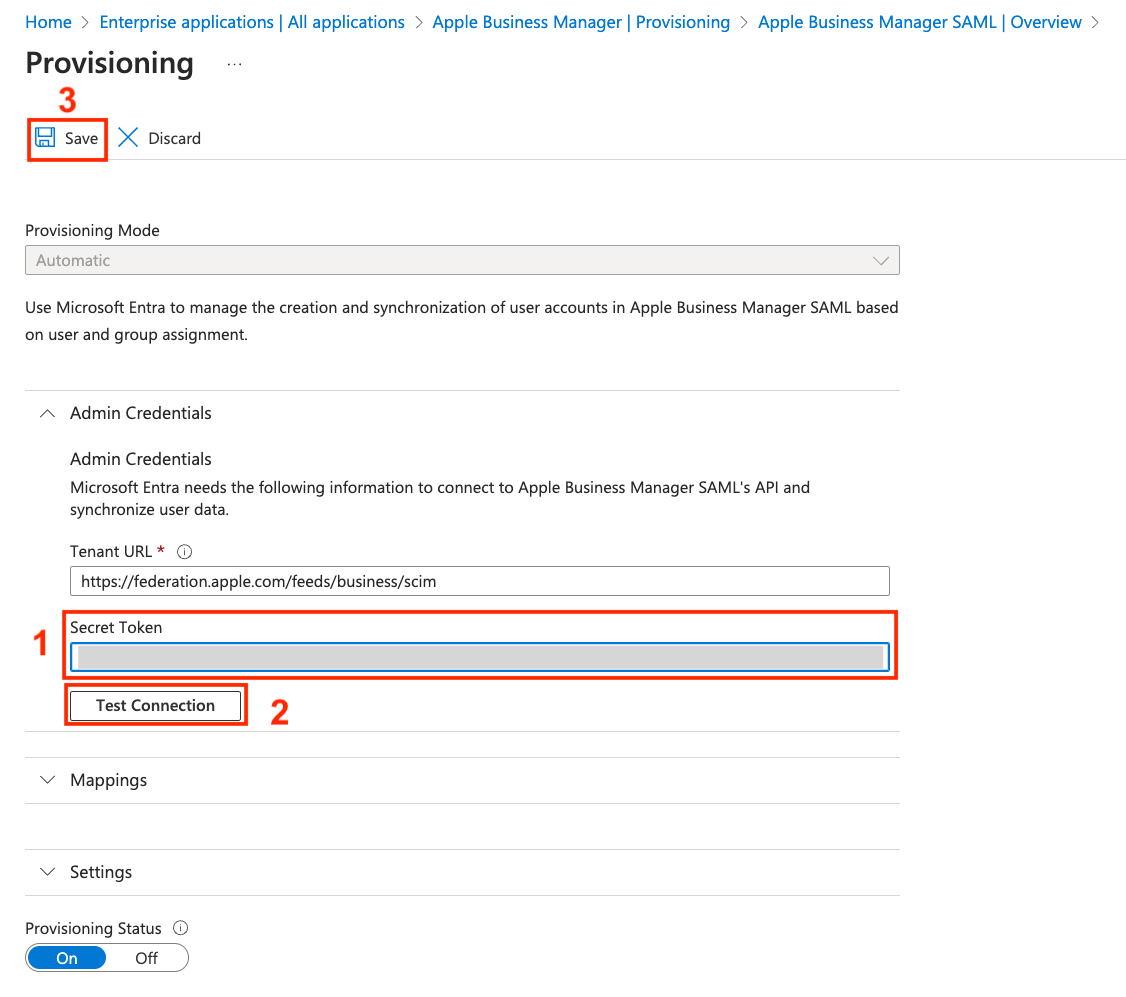
- Go back to Enterprise Applications. Paste in the Secret Token, click Test Connection. Wait for this pop-up in the right top corner. Then click save.
 ! IMPORTANT !
STOP HERE!
Go to the NEXT step!
Apple Business Manager - Step 3:
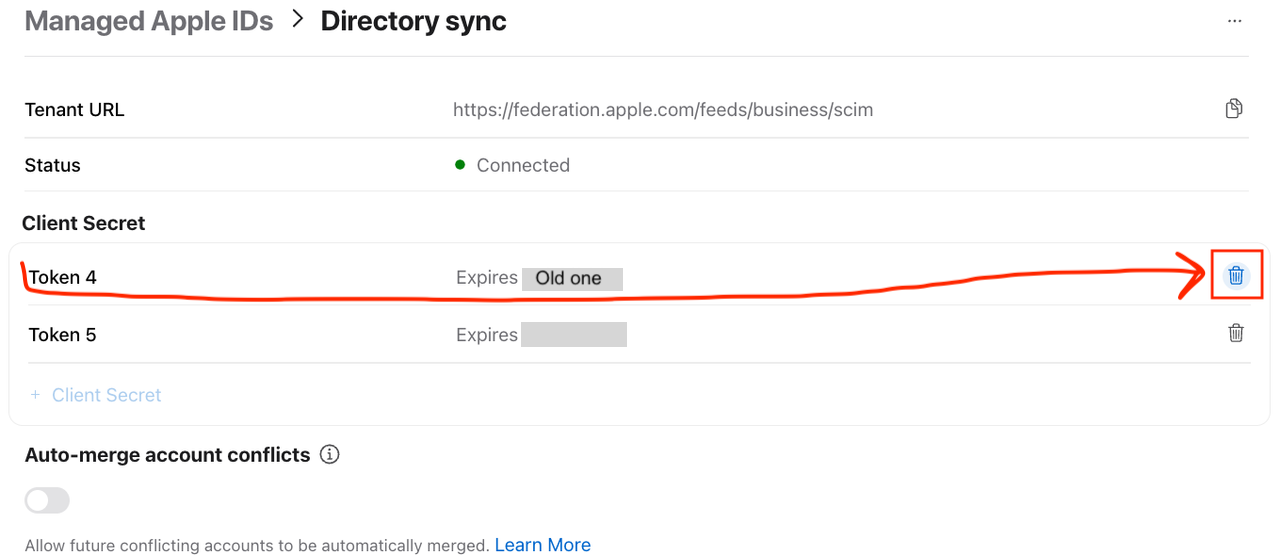
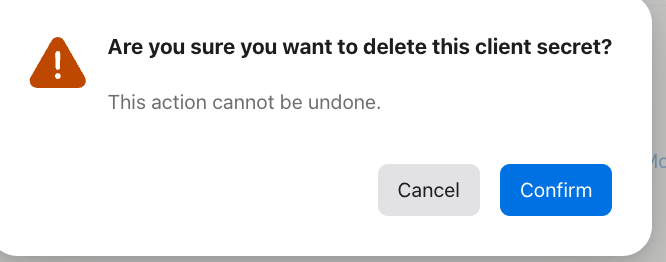
- Now go back to Apple Business Manager again. Delete the old Token. Check out the expiry date to make sure you don't delete the wrong one. Click Confirm.
And you are done. 😄
See you again next year!