Change SharePoint personal language settings:
About:
This guide explains how to change your personal language and region settings in SharePoint. Adjusting these settings affects how dates, times, and language appear in your view of SharePoint sites.
What is SharePoint?
SharePoint is a Microsoft 365 application used for collaboration, document management, and team sites. Personal language and region settings allow you to customise:
- Display language
- Time zone
- Country or region
-
These settings only affect your view and do not change how others see the site.
-
If your organisation has restricted languages or profiles, some options may not be available.
-
If you set a language in SharePoint and later change it in Microsoft 365, the Microsoft 365 setting will override SharePoint.
-
Availability of features depends on whether your organisation has set up or customised personal sites and user profiles. Contact your SharePoint admin for guidance if needed.
How to:
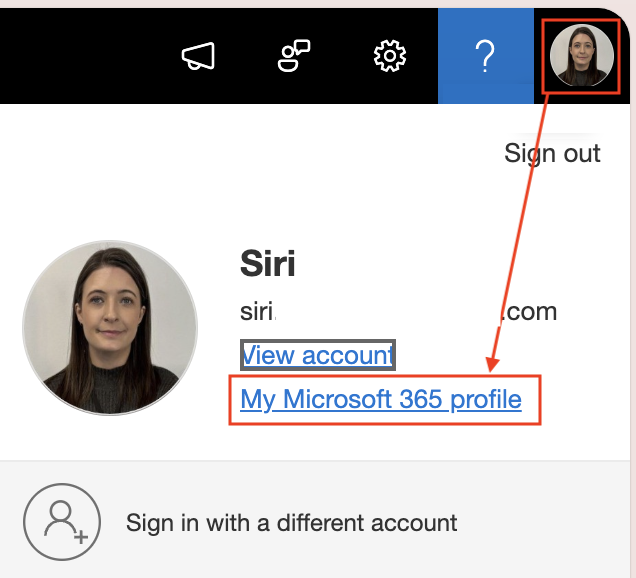
1, Sign in to SharePoint or any Microsoft 365 site.
2, Click your name or profile picture at the top of the page. Select My Microsoft 365 profile.
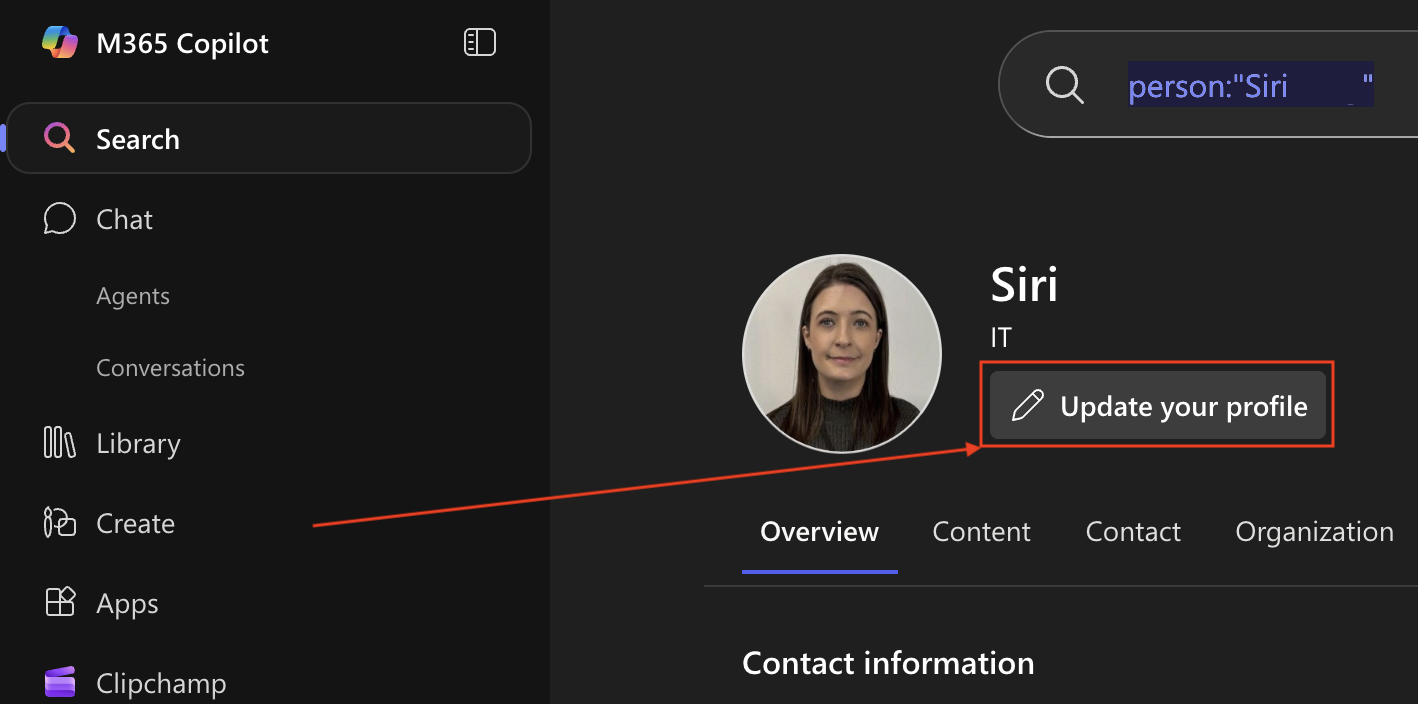
3, Then Update your profile.
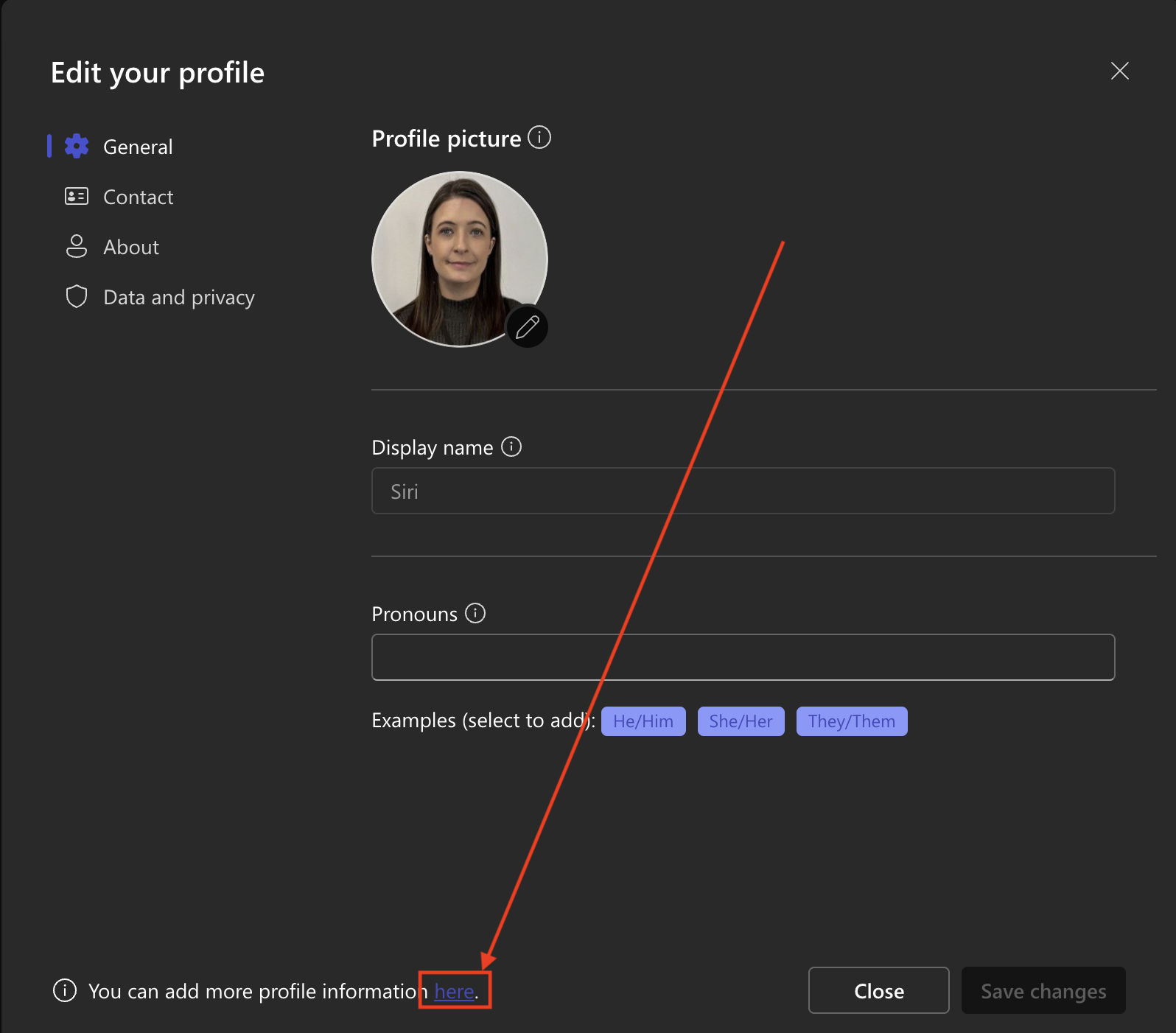
4, Scroll to the bottom of the page and select Here.
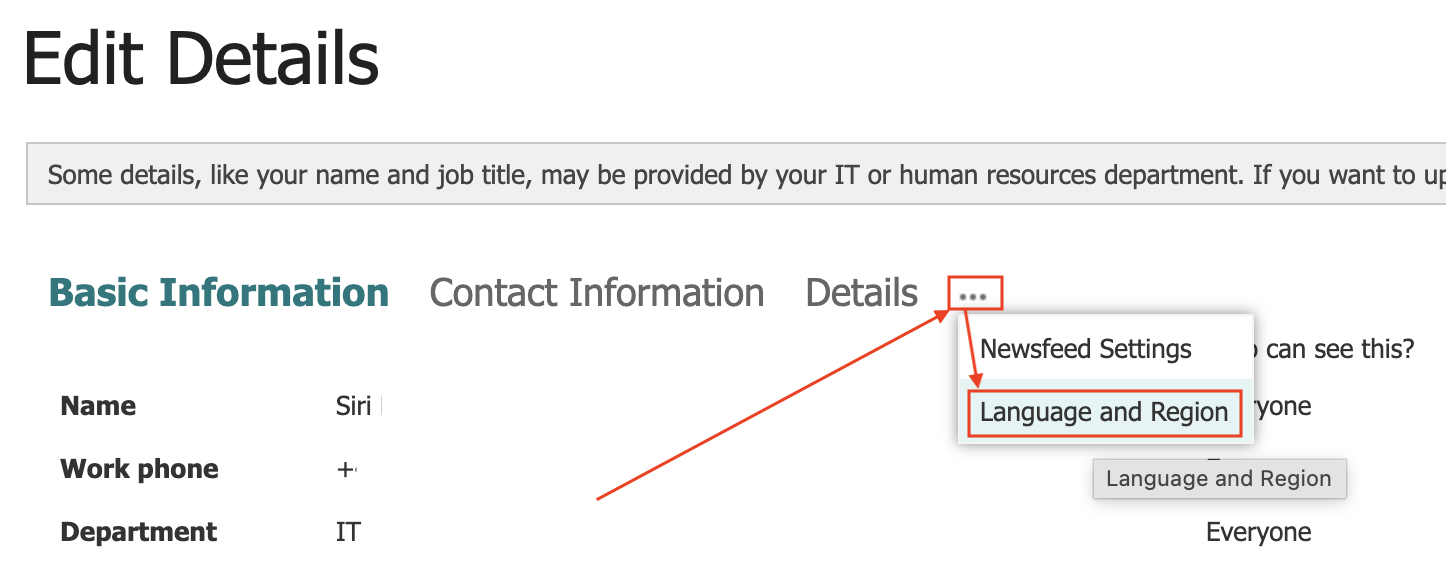
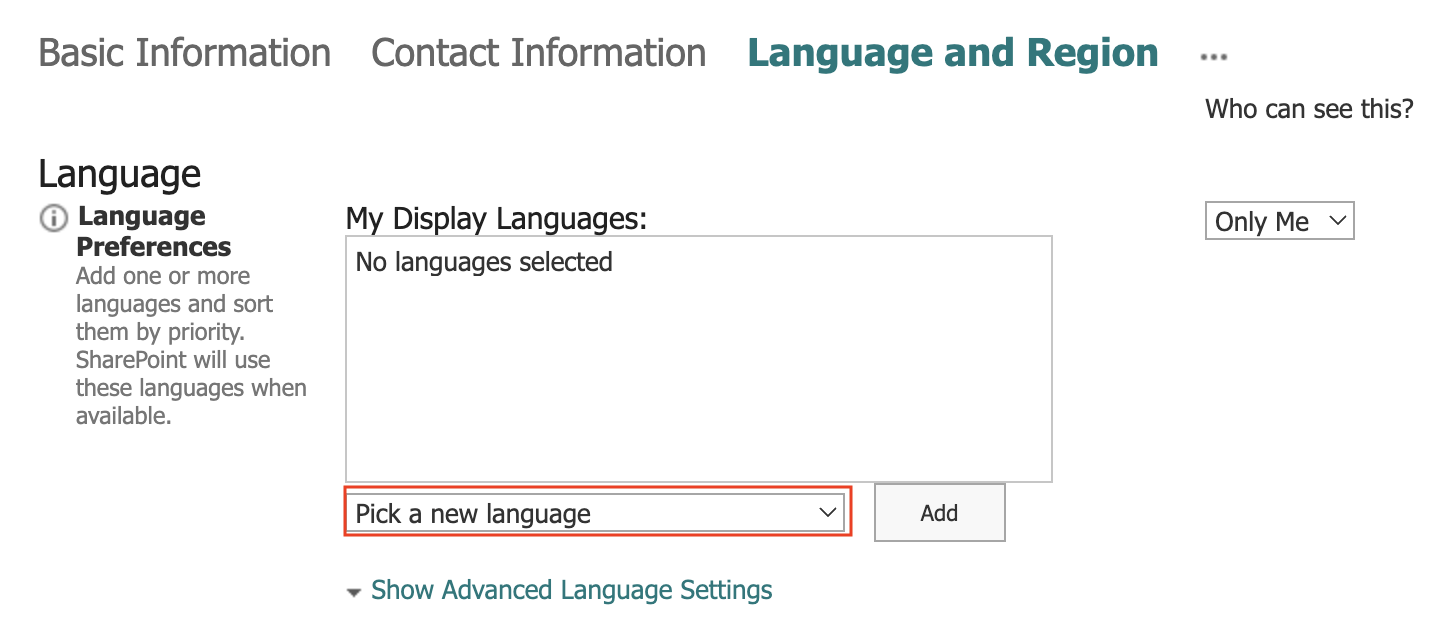
5, Click the 3 dots, and choose the option language and region.
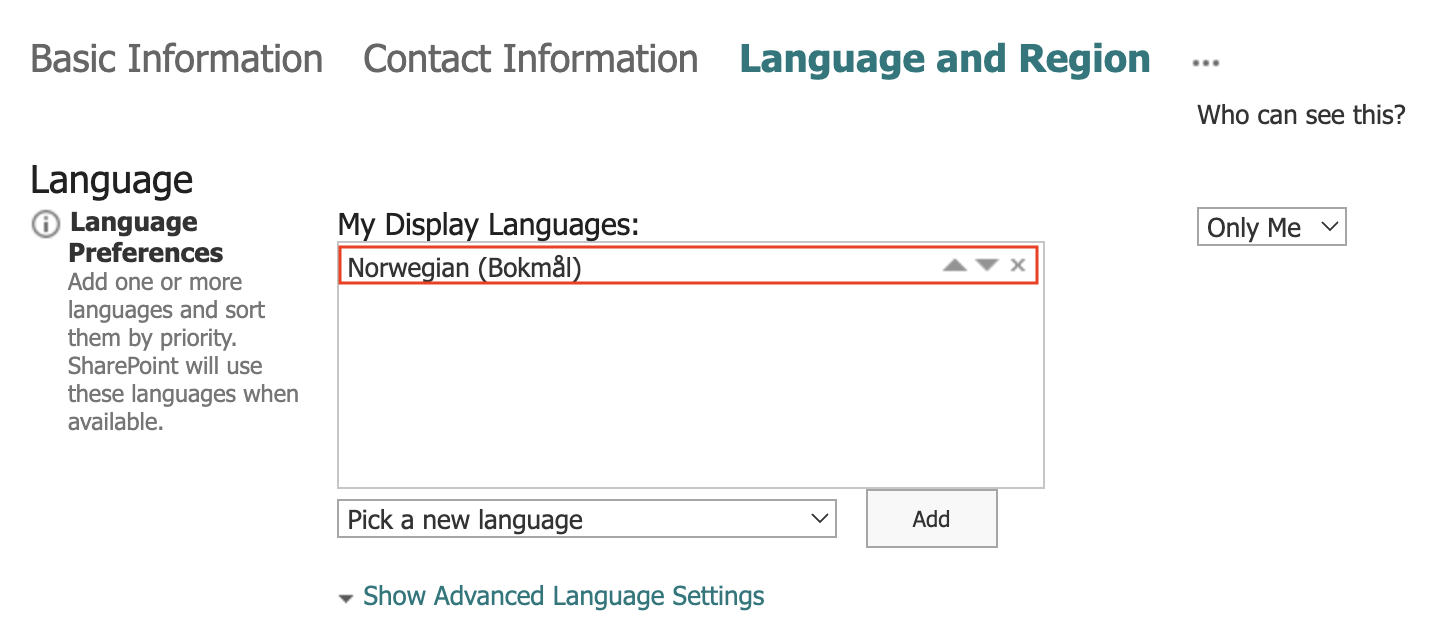
6, Click Pick a new language and choose your prefrence. Click Add and Save to apply your changes.
And you are done 😄