Github - Check and Add Licences:
About:
This guide explains how to check how many GitHub licences (also called “seats”) your company has left, and how to add more. Every person in the GitHub organization uses one seat. If there are no free seats, a new employee cannot be added, so check this before you invite someone.
How to:
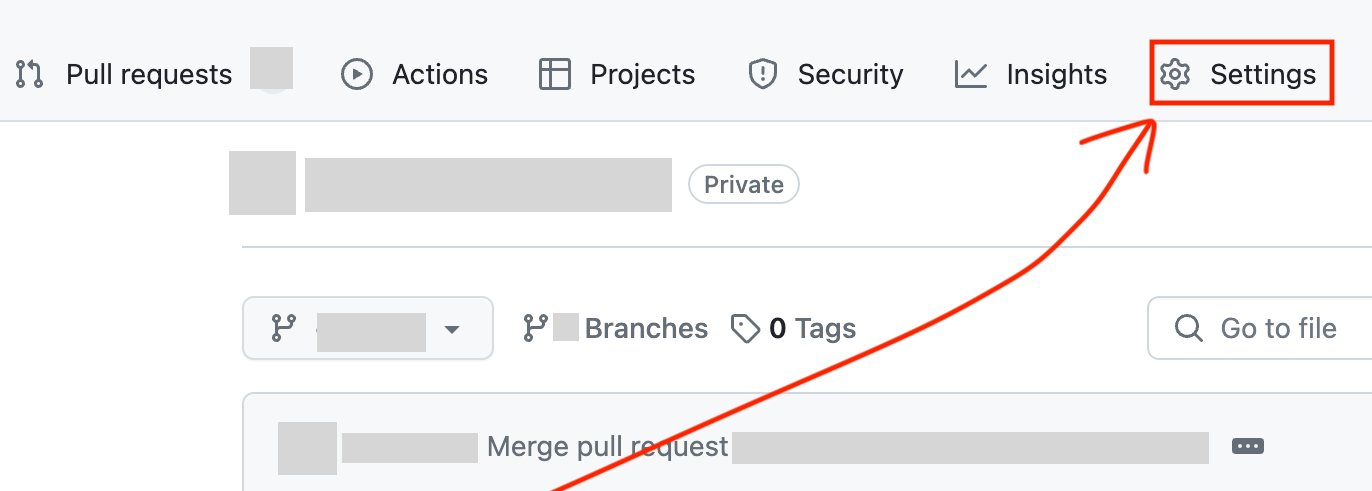
- Go to GitHub and to the Company page. Look for the ‘Settings' button and click it.
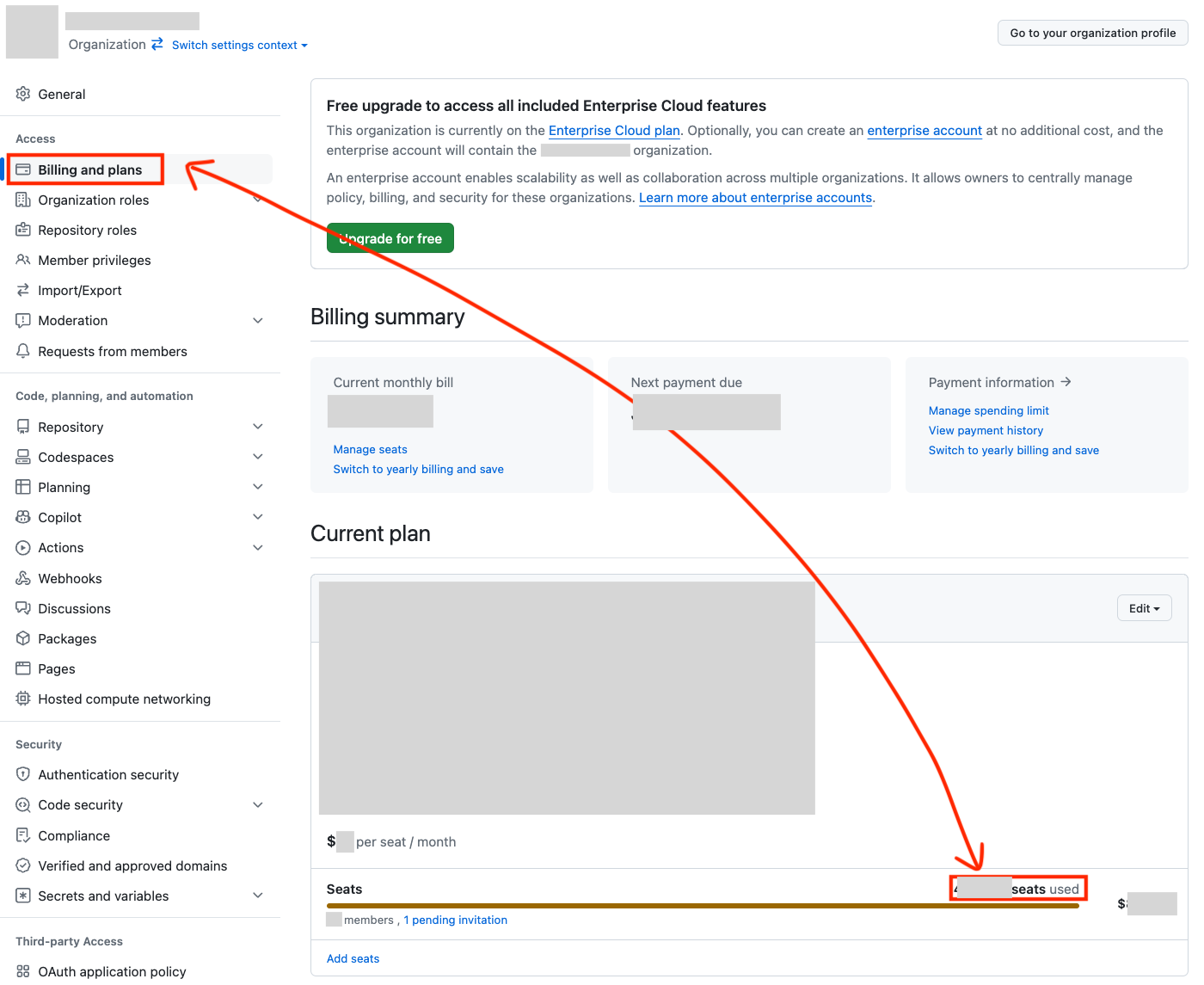
- Choose ‘Billing and plans’. Check the ?/? seats used. If you need more, click Add Seats.
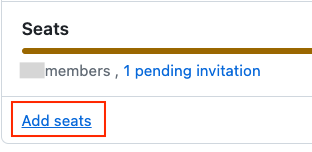
- Now the new employee should receive the GitHub access email.
Useful Tips:
To make sure it goes through quicker, use Provision on Demand that you can find here:
Microsoft Entra (Azure) - Provision on Demand (Atlassian Cloud)
And you are done. 😄
Sources
- GitHub’s guide to per-user pricing and seats: https://docs.github.com/en/billing/managing-the-plan-for-your-github-account/about-per-user-pricing
- Microsoft’s guide to Provision on demand: https://learn.microsoft.com/en-us/entra/identity/app-provisioning/provision-on-demand