Github - Remove Webhook:
About:
This document describes how to remove the Webhook from a GitHub repository.
How to:
-
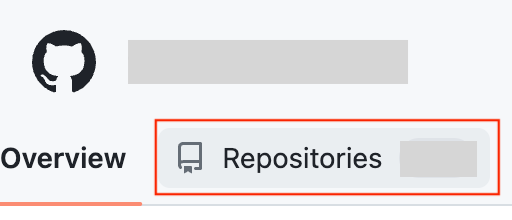
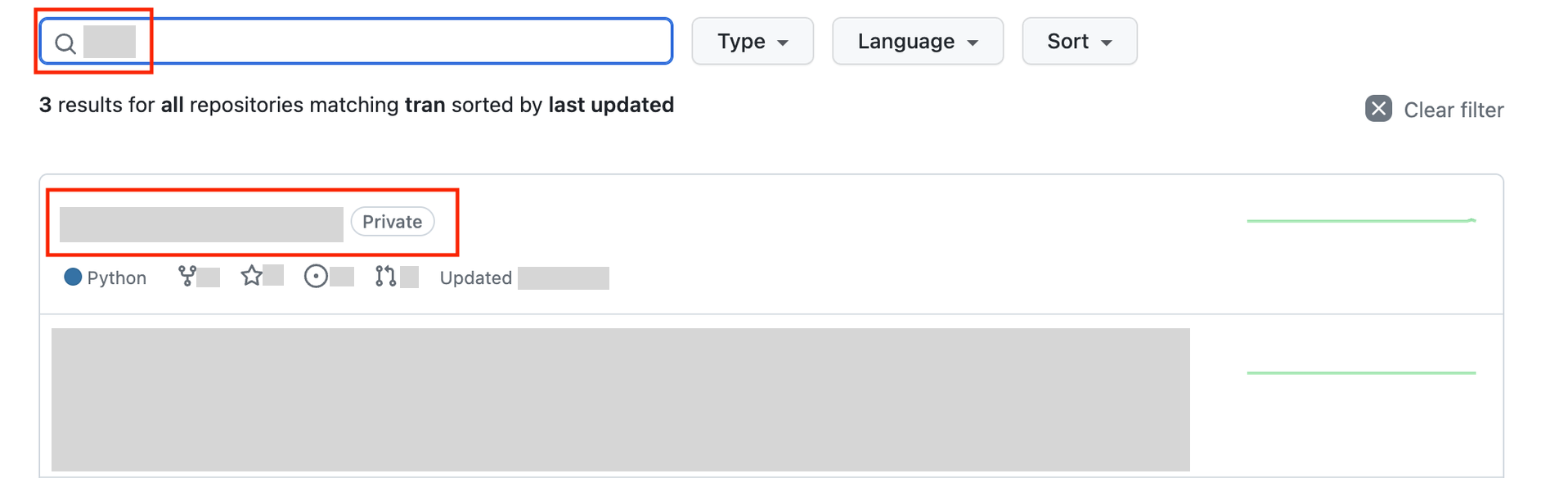
Go to GitHub and to the Company page. Look for the Repositories button and search for the wanted repository.
-
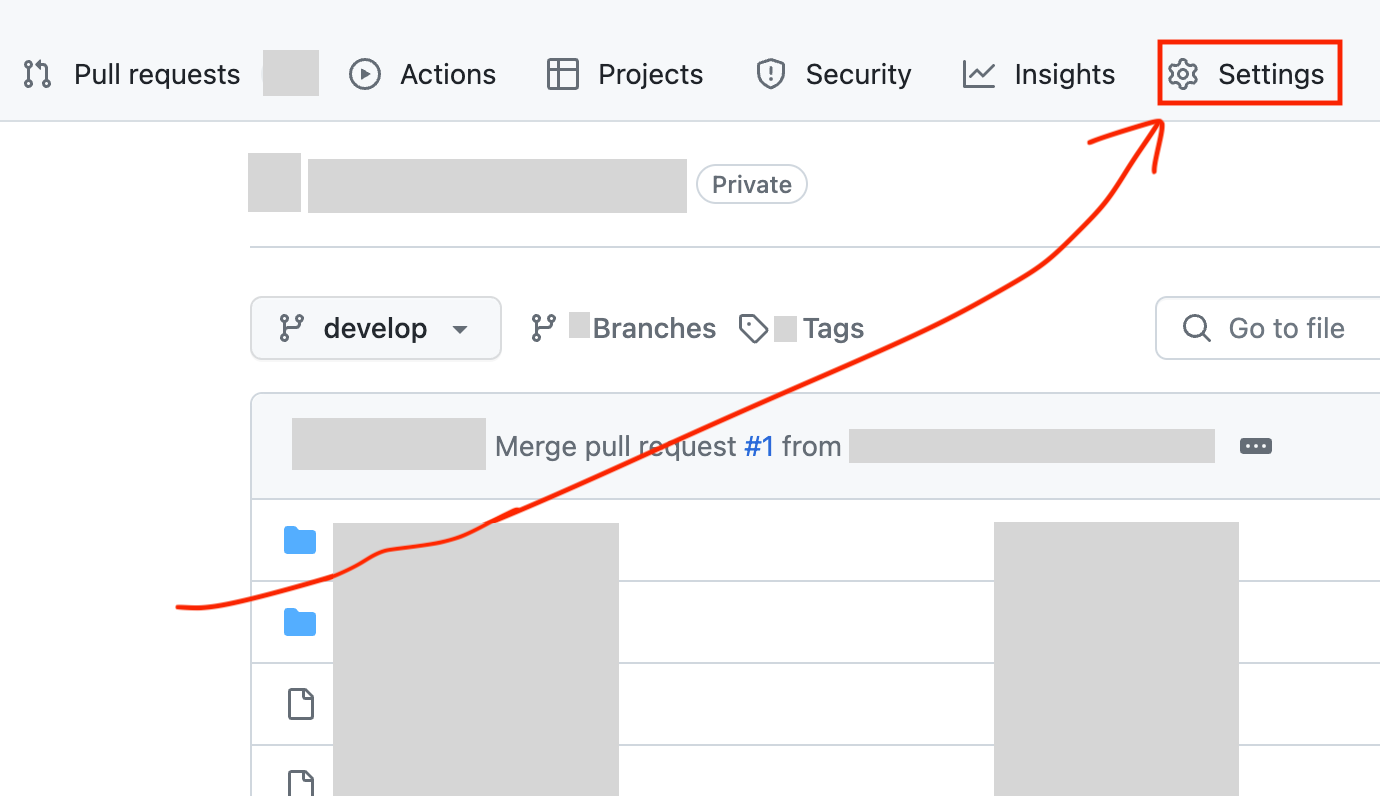
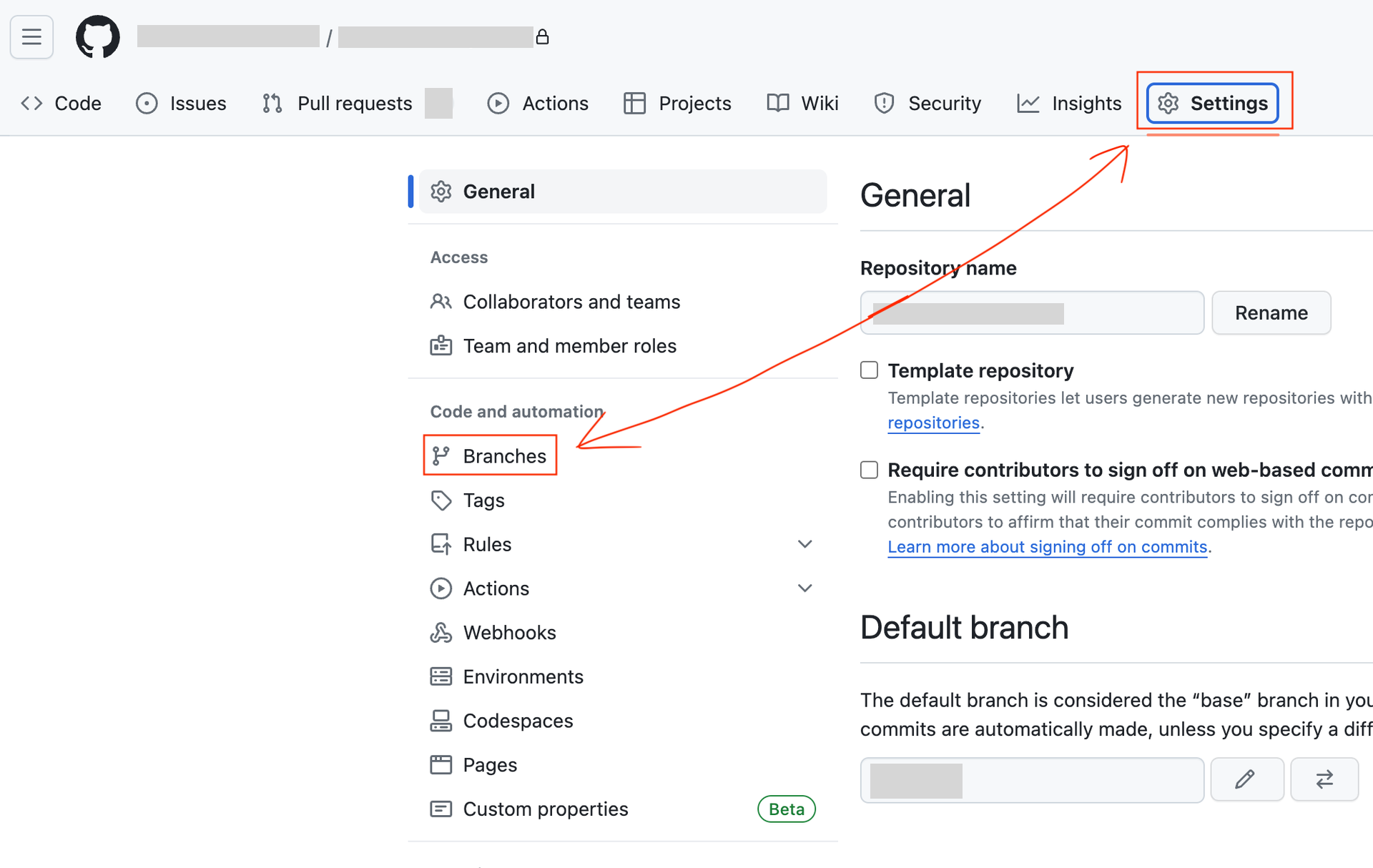
Click Settings to the top right. Then click the Branches button.
-
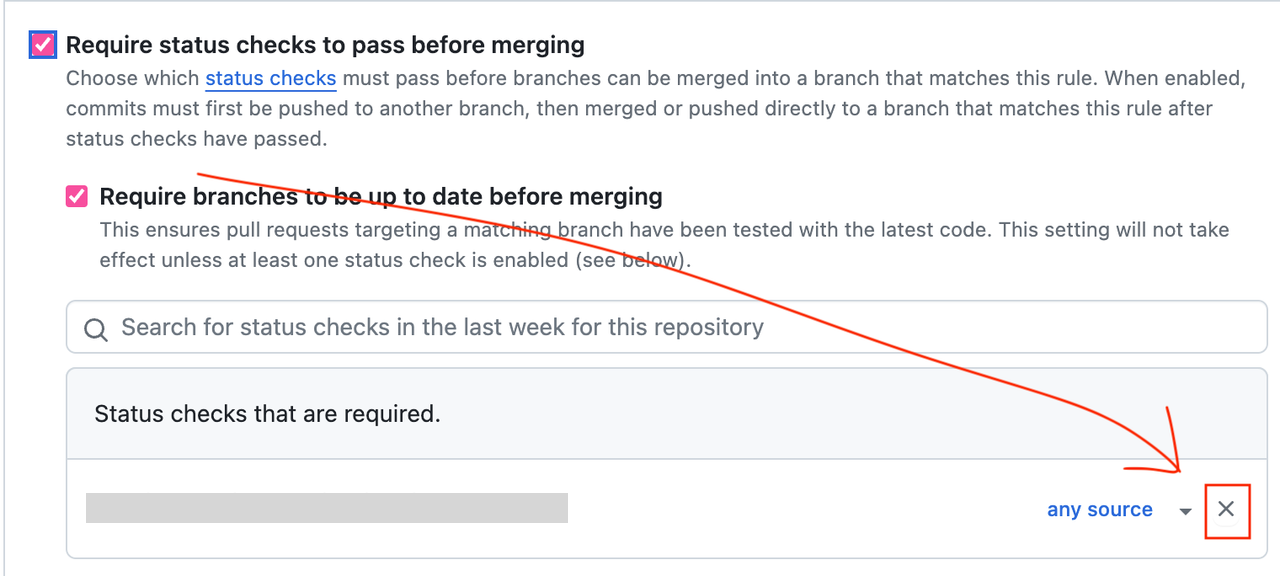
Scroll down to find Require status checks to pass before merging. Click the X button to remove the Webhook.
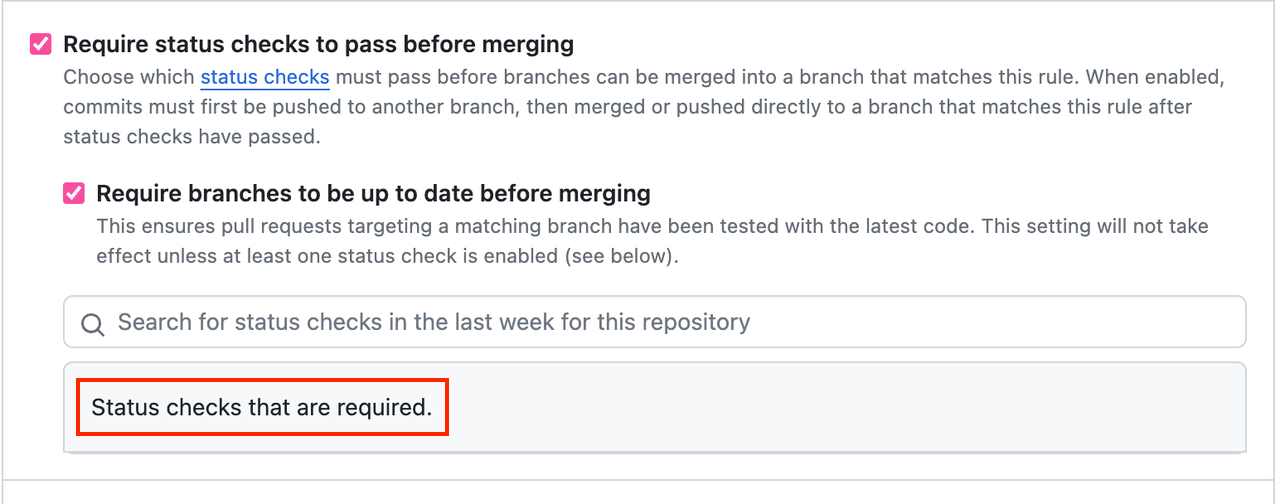
-
Remember to do this in both in every Branch.
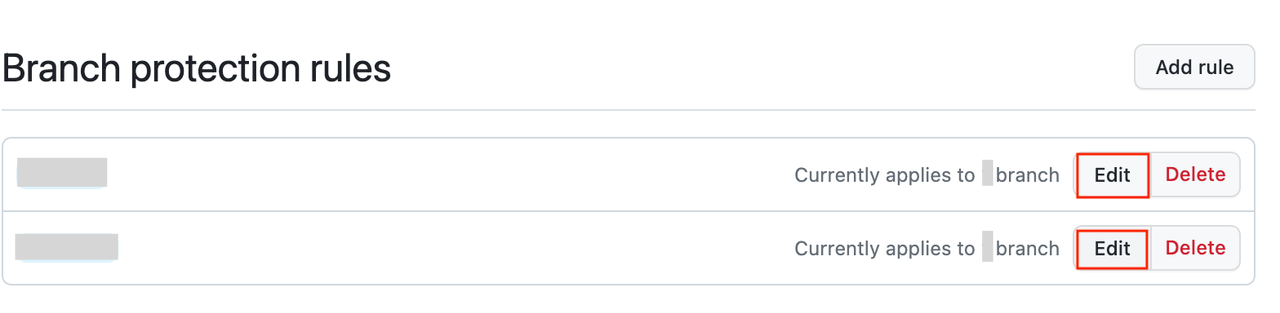
And you are done. 😄
Sources
- GitHub’s guide to managing a branch protection rule: https://docs.github.com/en/repositories/configuring-branches-and-merges-in-your-repository/managing-protected-branches/managing-a-branch-protection-rule
- GitHub’s guide to required status checks: https://docs.github.com/en/repositories/configuring-branches-and-merges-in-your-repository/managing-protected-branches/about-protected-branches
- GitHub’s guide to webhooks: https://docs.github.com/en/webhooks/about-webhooks